
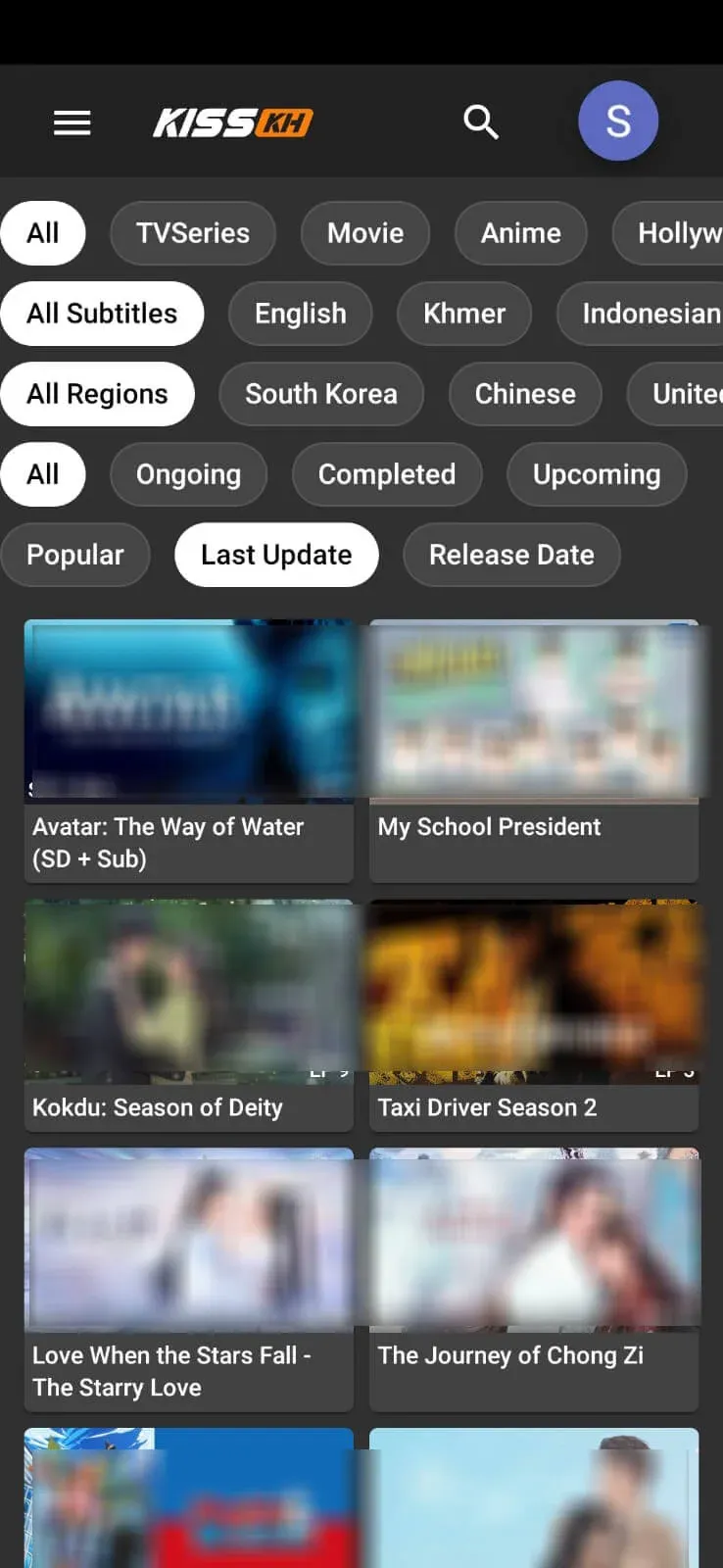
Explore & Filtering
The Explore tab is where most browsing happens. Instead of one long, unsorted list, you narrow the catalog with layered filters: content type (TV series, movie, anime, Hollywood), subtitle language, country or region, and airing status.
Combine that with three sort orders — Popular, Last Update, and Release Date — and you can go from "show me new Korean dramas with English subtitles" to a playable list in a couple of taps.
The Video Player
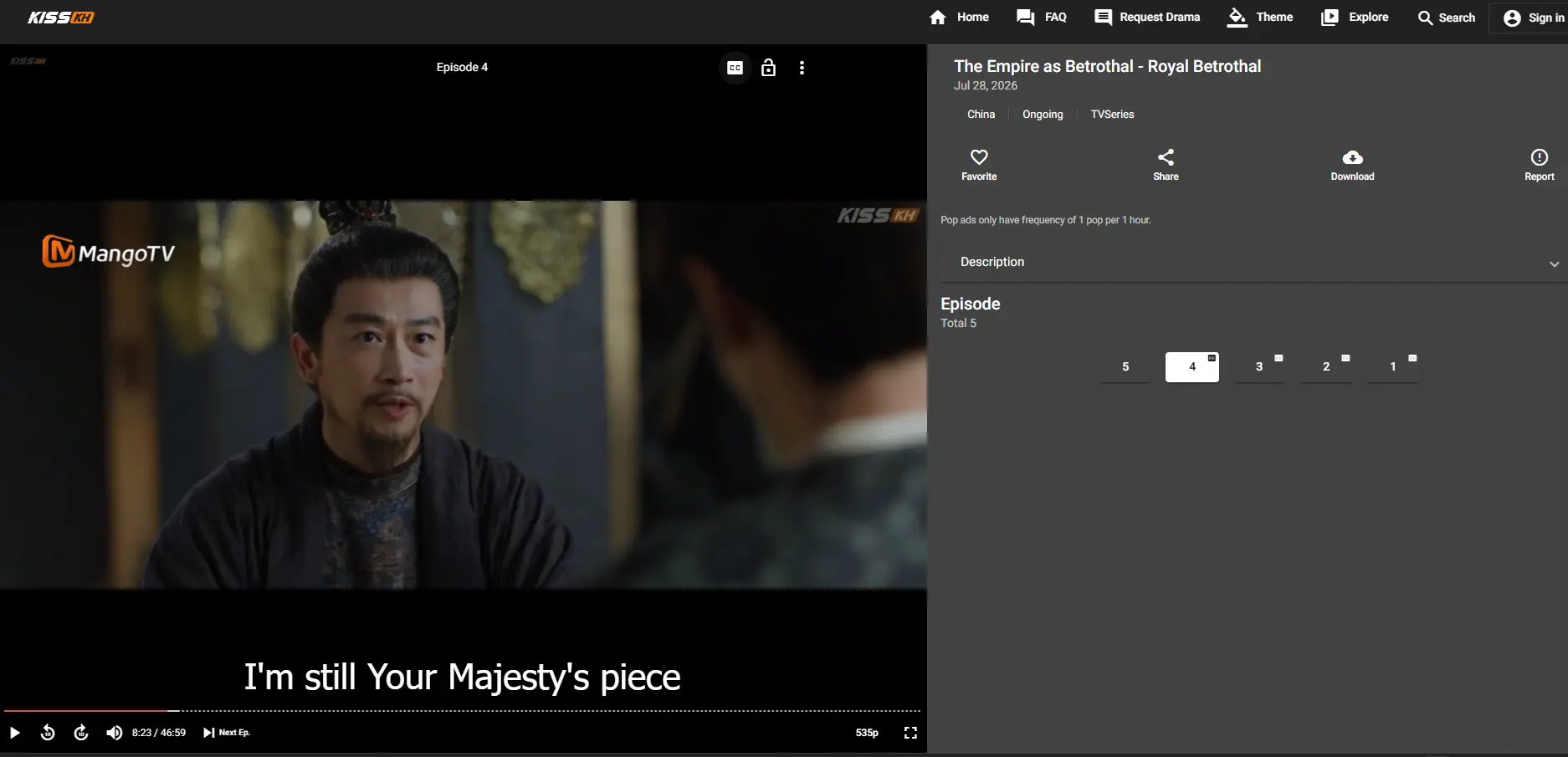
The built-in player keeps controls simple: play/pause, 10-second skip forward and back, a quality selector (from data-saving resolutions up to HD where available), and a captions button for switching subtitle tracks mid-episode.
An episode list sits alongside the player on tablets, PCs, and TVs, so jumping from Episode 4 to Episode 5 doesn't mean backing out to a menu first.
Subtitle Languages
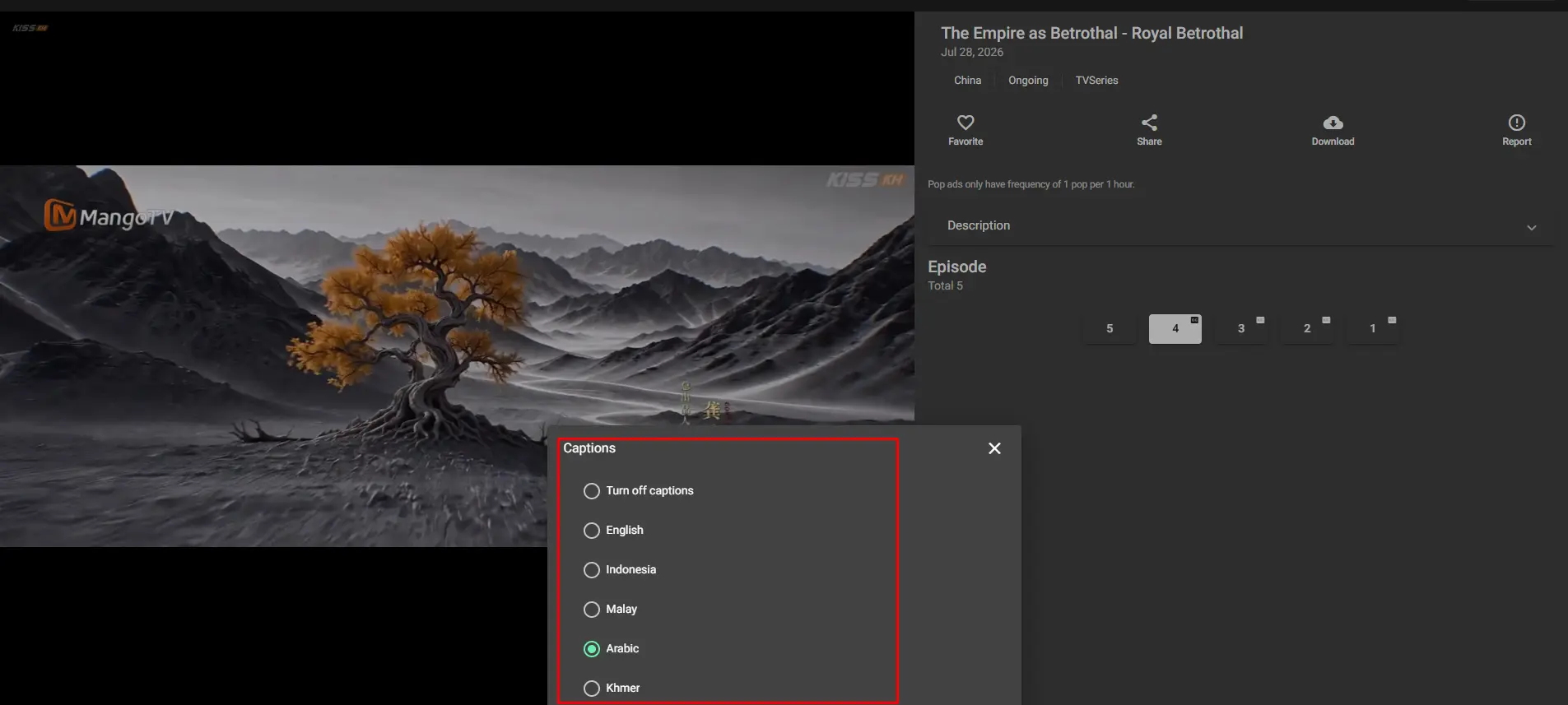
Captions cover a wide spread of languages, including English, Arabic, Indonesian, Malay, and Khmer, with more added as the library grows. Switch tracks from the captions icon in the player without leaving the episode.
Coverage can vary by episode — brand-new releases sometimes get their subtitle tracks shortly after the video itself goes live. See the Troubleshooting Guide if a language you expect isn't showing yet.
Favorites, Watch History & Requests
Signing in unlocks three things that make repeat visits faster: a Favorites list you can add any title to, a Continue Watching row that remembers your last episode across devices, and a Request Drama form for titles that aren't in the library yet. None of this is required to stream — it just saves you from re-finding where you left off.
.webp)
Themes & Personalization
The Theme menu swaps the app's color scheme between several presets — including a deep purple-and-amber look and an indigo-and-pink pairing — so the interface doesn't have to look identical to everyone else's.
It's a small touch, but it's the kind of detail that separates an app built for daily use from one you open once and forget about.